Trace
The following parameters are reserved for PLC tracing in the E-Conset Tool – Trace.
-
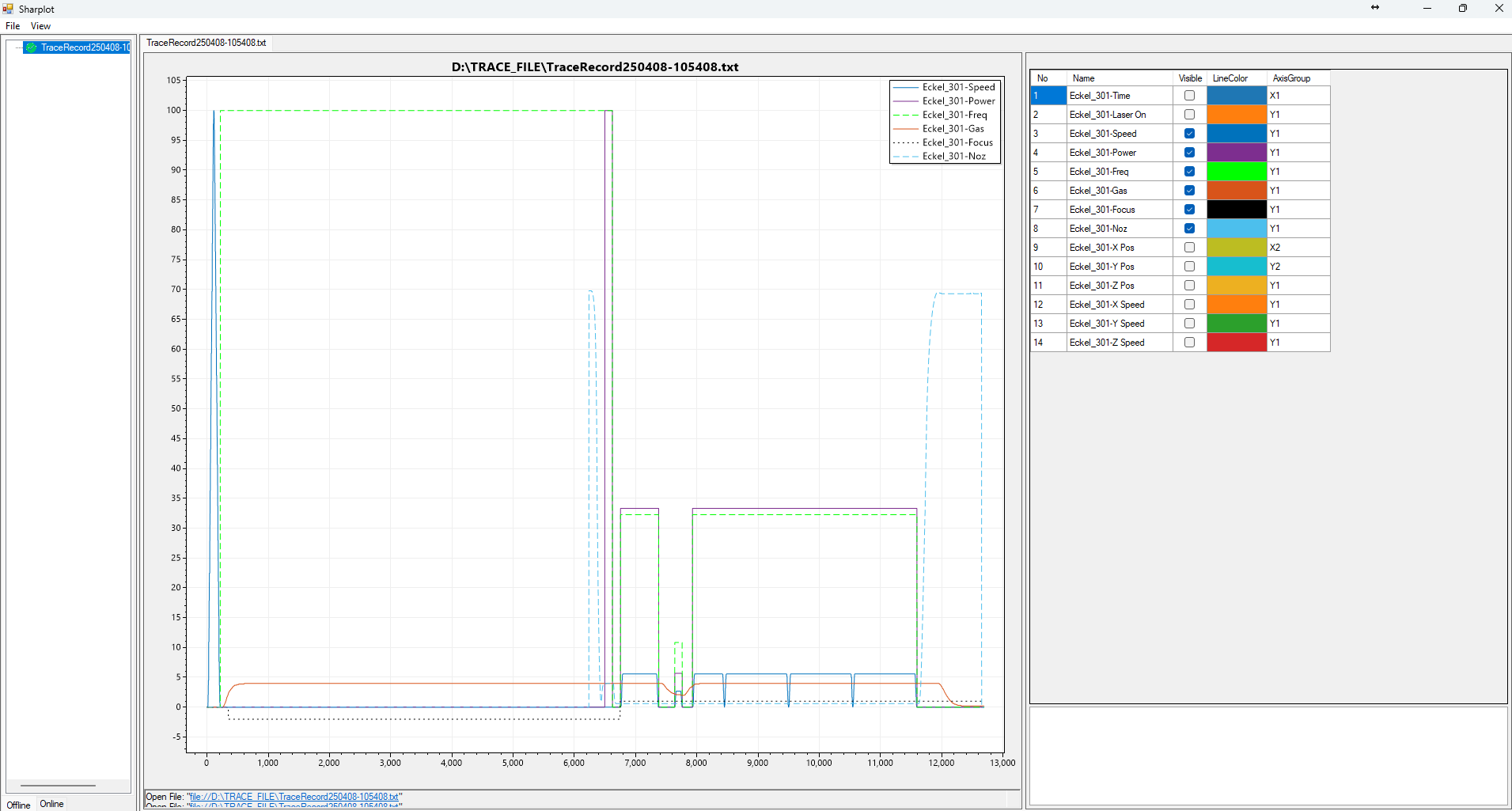
T301 – Comprehensive logging of NC and PLC synchronization during program execution for diagnostic purposes.
Logged Parameters: Time, Laser On Status, Speed, Power, Frequency, Gas, Focus, Nozzle Height, X Position, Y Position, Z Position, X Speed, Y Speed, Z Speed.

-
T360 – Monitoring of cutting head height control during program execution for diagnostic purposes.
Logged Parameter: Height Control Sequence.

-
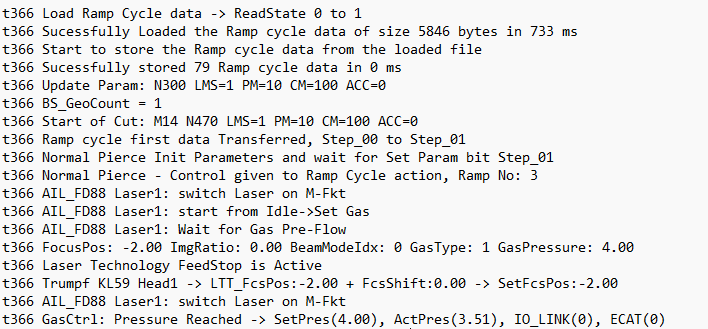
T366 – Comprehensive synchronization of laser technology data during program execution.
Logged Parameter: Laser Sequence.
-
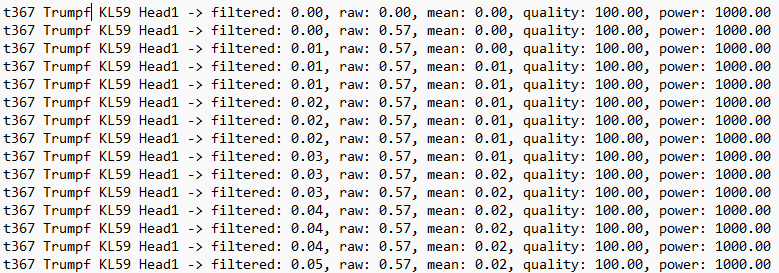
T367 – Logging of KL59 Lumi measurement data during program execution.
Logged Parameters: Protective Window Quality (in percentage) and Average Power.
-
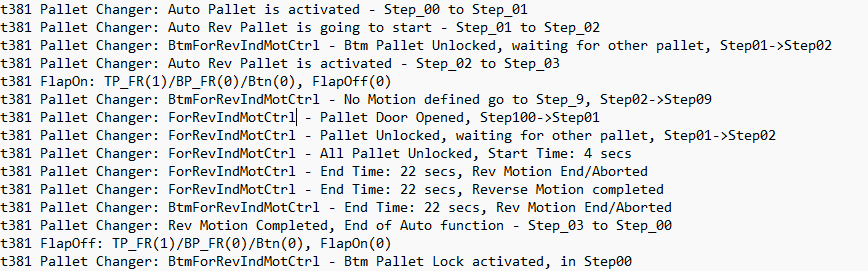
T381 – Trace of pallet changer sequence during operation.
Logged Parameter: Pallet Changer Operation Sequence.
-
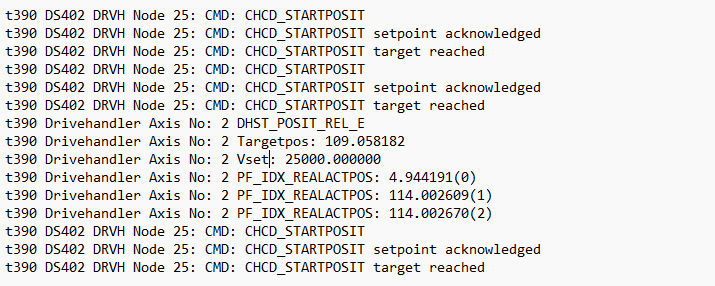
T390 – Logging of independent drive handler information, including position, velocity, and related data.
Logged Parameter: Drive Handler Status.
Open the E- Conset Tool from the Machine Configuration menu.
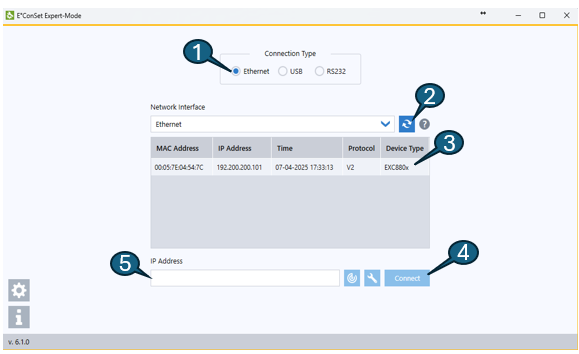
1. Select Ethernet for communication under Connection Type. 2. Press the Refresh button to scan for connected controllers. 3. Select the detected controller from the list (e.g., EXC880x). 4. Press the Connect button to open the configuration page. 5. Alternatively, enter the controller’s IP address manually and press Connect.
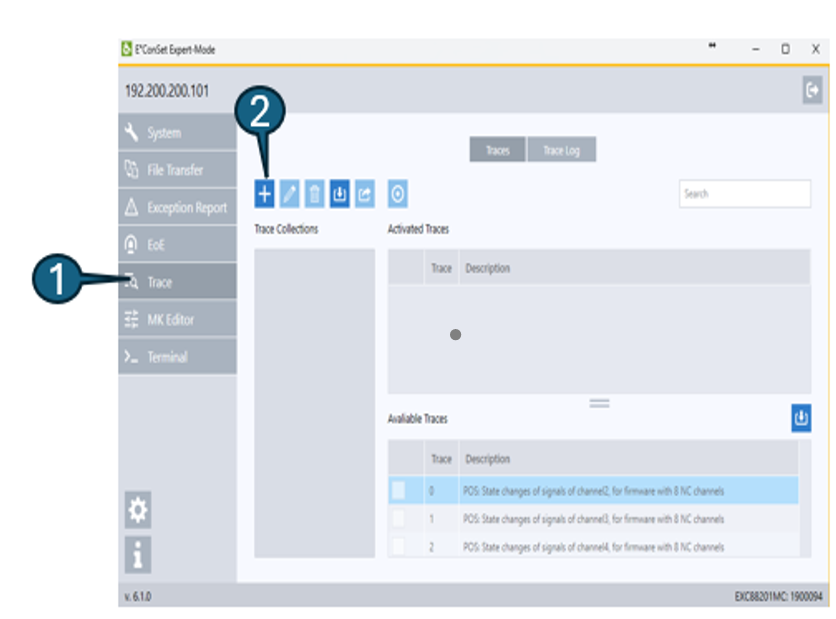 Steps to Capture a Trace
-
Open the controller configuration window and click the Trace button located on the left side panel.
-
Click the "+" (Add) button to create a new trace.
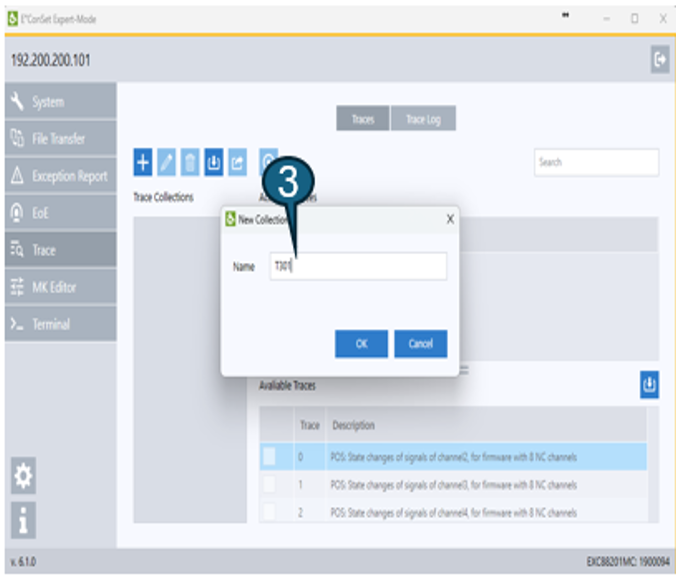
-
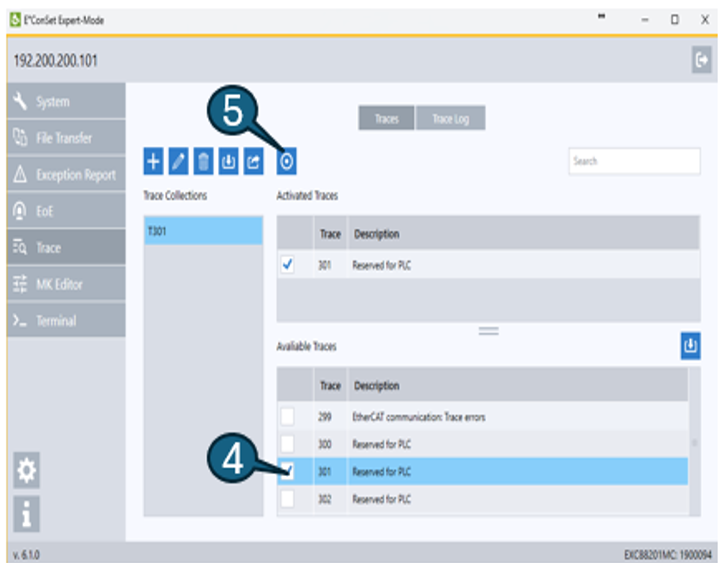
Enter a name for the trace.
-
Select the appropriate Trace Number for capturing data.
-
Click Start Trace and run the program. The trace data will be recorded and saved automatically in .txt file format.
Trace File Viewing Tool
The trace file (T301) can be viewed using Sharplot, a tool developed by TCN specifically for analyzing trace data.