
Nozzle Cleaning Options
In PLC Options, Select Function Parameters to access Nozzle Cleaning Options.
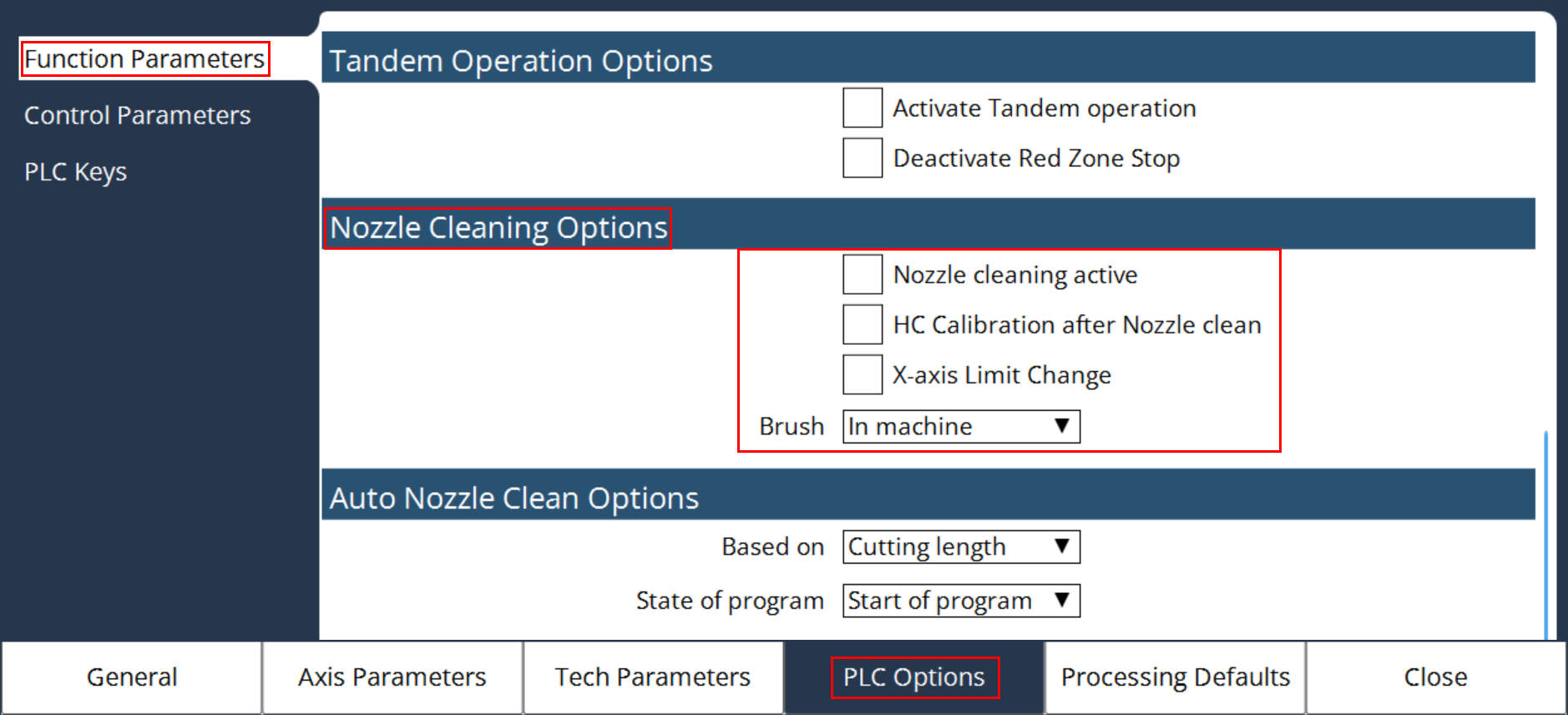
Nozzle clean active
It will activate the nozzle clean function in the PLC and corresponding sub programs will be activated in the NC.
HC Calibration after Nozzle clean
It will activate the Height control calibration program in the PLC after the completion of the Nozzle cleaning program.
X-axis Limit Change
It will activate the 2nd limit value of X-axis for nozzle cleaning program.
Refer Custom parameter of X-axis Limit value for clear understanding.
Brush
Selects the location of Brush either in the machine or in the pallet.
If the brush location is in the pallet, then an additional interlock is activated in the PLC to check the position of the pallet before the start of the Nozzle Cleaning program.