General
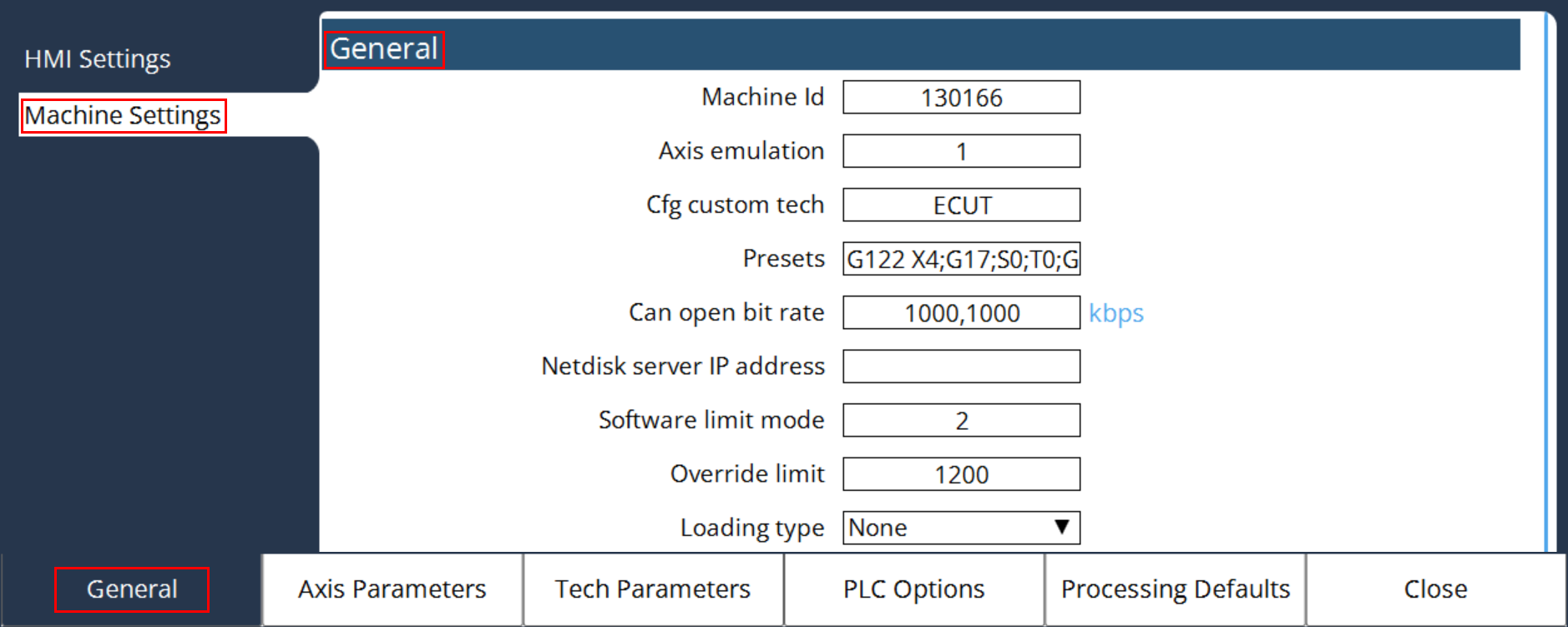
In General parameters, Select Machine settings to access General settings.
MK CFG Machine Id
Machine Id is used to configure the respective machine. Each machine has its own unique machine ID. We are using machine ID 130166, and the machine name is L99_1030-3KW (TruLaser 1030 Basic Edition L99 A02026 TruFiber-3KW).
MK CFG Axis Emulation
It is for testing the control functions, without the need for a machine to be connected. For this purpose, the controller switches the actual value sensor inputs to simulation mode. Control variables continue to be output. If drives are already connected, the servo amplifiers must be turned off, as otherwise undesired motion will occur.
| Value | Meaning |
|---|---|
0 |
Drives and Path measurement systems must be properly connected (default). |
1 |
To test MMI, PLC and DIN programs without connected drives. |
MK CFG Presets
(“G122 X4;G17;S0;T0;G163;G175;M48;G31" - Display the textbox)
| Function | Meaning |
|---|---|
G0-G3 |
Set modal control G function, optionally with speed data F, |
G17 / G18 / G19 |
Selection of the main plane X-Y / Z-X / Y-Z |
G24 / G25 |
Apply software end switch from MK Axis Software Limit Positive or MK Axis Software Limit Negative |
G26 |
Activate software end switch for the given axes, example: „G26 X0 Y0“ |
G30 / G31 |
Activate straight-cut operation / path operation |
G60 |
Activate look-ahead or exact stop, example: „G60 X0“ |
G65 |
Define the positioning sequence of axes during block search, example: „G65 X0 Y0 Z1" |
G76 |
Reset Scaling factors for pulse weighting |
G90 / G91 |
Activate absolute dimension / chain dimension for all axes |
G112 |
Activate tangential slewing on the given axes (A,B,C,a,b,c), example: „G112 C1“ |
G122 |
Configure the effect of the procedure key, example: „G122 X1“ |
G212 |
Activate transformation for 3 axes handling kinematic |
G163 |
Activate / deactivate axes for geometrical functions |
G175 |
Reset Axis interchange |
G221 |
Activate retract handlerfor |
M48 |
Velocity override on |
M49 |
Velocity override off |
S<n> |
Activate workpiece coordinate system <n> |
T<n> |
Activate tool coordinate system <n> |
It is a string constant, by means of which certain preset values of G functions can be selected. The following G functions may be entered within the string, separated by semicolons.
The entered string must be entered within quotation marks and may have a maximum of 80 characters. The configured preset values will be automatically activated during startup of the controller after the MCs have been loaded, as well as at the end of the program and following a program abort.
MK CFG Can Open Bitrate
(CAN1:1000 ; CAN2:2000 ) Units in Kbps
MK CFG Can Open Bitrate consists of two parameters. It is defined as follows:
-
Parameter for CAN interfaces with I/O functionality (PLC driven)
-
Parameter for CAN interfaces with drive functionality (NC driven)
The following values are allowed:
| Value | Meaning |
|---|---|
0 |
No CAN-Open module connected |
10 |
Bitrate 10 kBit/s |
20 |
Bitrate 20 kBit/s |
50 |
Bitrate 50 kBit/s |
100 |
Bitrate 100 kBit/s |
125 |
Bitrate 125 kBit/s |
250 |
Bitrate 250 kBit/s |
500 |
Bitrate 500 kBit/s |
800 |
Bitrate 800 kBit/s |
1000 |
Bitrate 1000 kBit/s |
MK CFG Netdisk Server IP Address
(Predefined IP-Address - “ “ )
It defines the IP address of the net disk server. If a net disk server runs on the device with the IP address that was specified in this MC, the controller can access the data on this device via the drive.
MK CFG Software Limit Mode
(1 = Brake with current brake ramp )
It indicates whether controlled braking or an abrupt stop is applicable when machine travel limits are exceeded.
| Value | Meaning |
|---|---|
0 |
Immediate stop when reaching SW end switch. |
1 |
Brake with current brake ramp on the programmed path. For this purpose, the machine travel limit must be chosen so that the axis with the set acceleration values can be brought to a standstill before the mechanical stop. |
2 |
Look ahead software end switch. Here, it is calculated whether the corresponding software end switch will be reached, using the current axis speed and the configured max. axis braking ramp. If this is the case, the respective axis will be braked so that it comes to a standstill at the set software limit. All other axes on the path will be stopped with 1. |
MK CFG Override Limit
( 1200 ; 0-120% )
It limits the override setting to this value.
MK CFG Loading Type
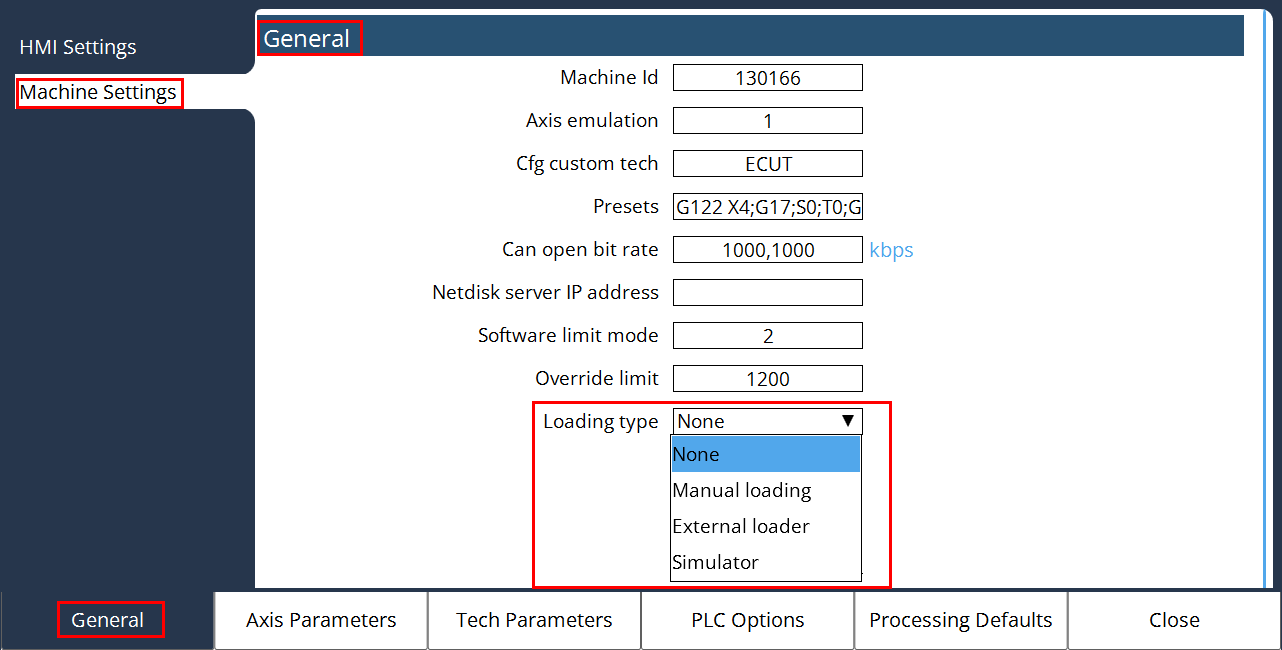
Loading Type parameter will be used in the automation interface. It is a powerful tool that allows you to control the machine from an external source. The automation interface enables remote control of the automation system.
The following loading types can be seen in the machine settings dialog:
-
None
-
Manual loading
-
External loader
-
Simulator
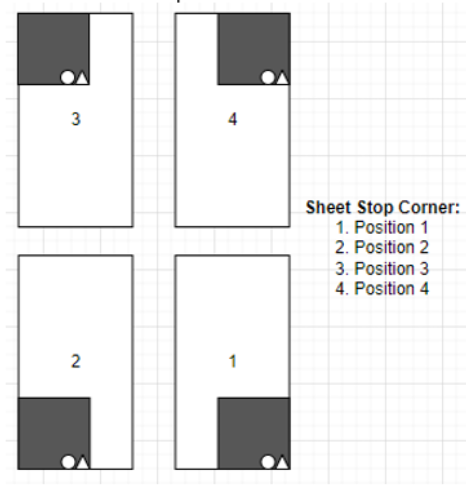
If you load the sheets via a loader, please ensure that you select the correct sheet stop position. This setup can be configured in the Edge detection program of Control Parameters dialog.
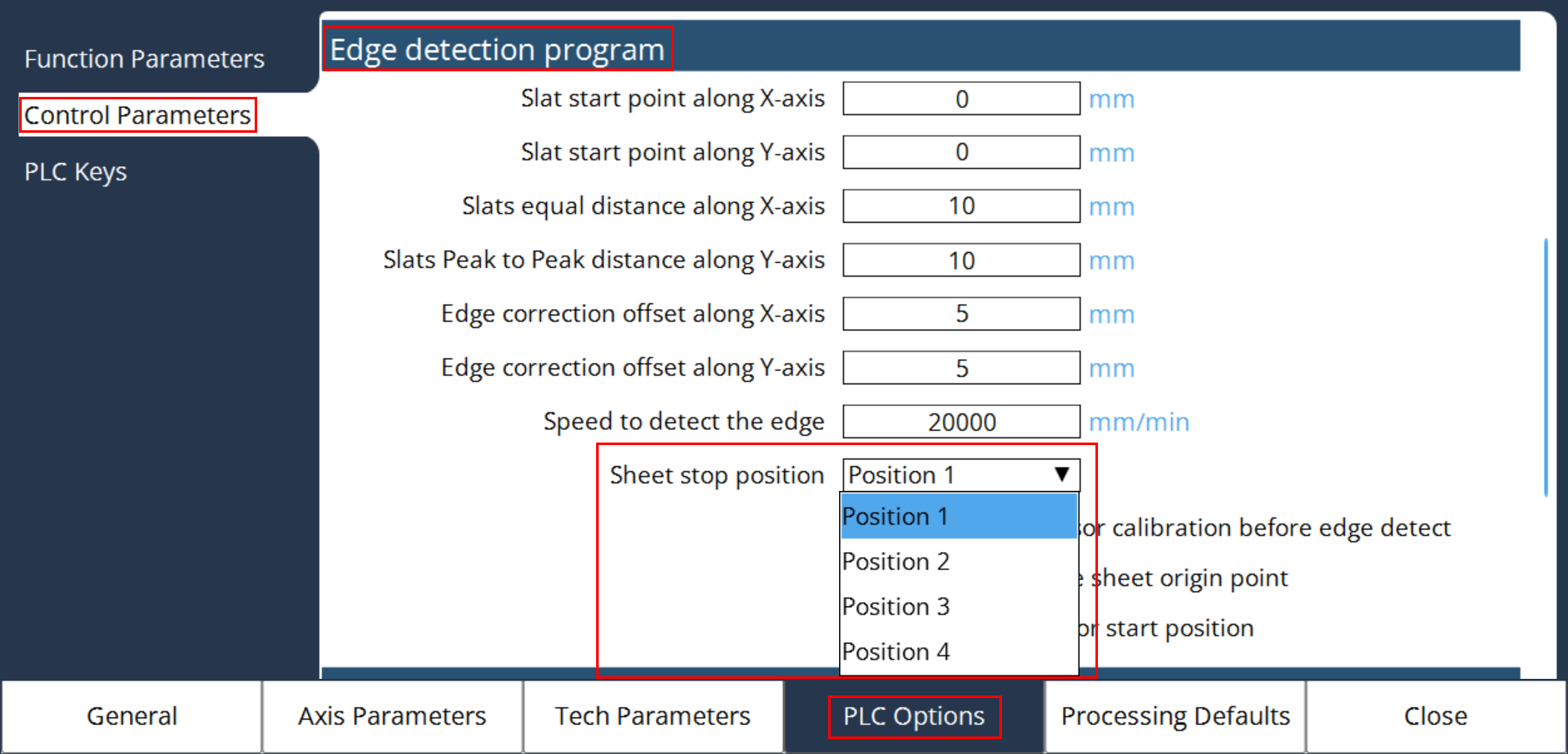
The sheet stop for raw material stack in entire machines layout could be set in different corners. Automation device has the accordant sheet stop corner, thus the sheet loading position in machine will be impacted as well.